Portfolio · Lahore, Pakistan

Shah Zain

AI Automation & Chatbot Specialist

I build AI systems that answer customers, sort enquiries and keep records for small businesses, so owners and staff spend less time on repetitive messages and data entry.

Customer message→ AI reads & decides→ Google Sheet→ Owner alert
What I do

AI workflow automation

Forms, emails and messages processed automatically with n8n: data saved, staff alerted, nothing typed by hand.

Business chatbots

Assistants that answer FAQs about prices, timings and bookings in Urdu, Roman Urdu or English, with clear limits on what they will say.

Prompt & AI setup

Well-tested prompts and guardrails, so the AI gives accurate answers and hands over to a human when unsure.

Websites & 3D product pages

Modern, multilingual business websites built with a professional AI-assisted workflow, including scroll-driven 3D product reveals that lead straight to WhatsApp.

Case study 1
Demo project · built and tested live

AI Receptionist for a Dental Clinic

Built for a sample clinic, "Areesha Dental Clinic", Model Town Link Road, Lahore. Patient names and numbers shown are test data.

The problem

A receptionist reads every appointment request by hand, copies names and numbers into a register, and has to judge which patient needs urgent attention. Requests that come in after hours wait until morning.

The solution

An online appointment form connected to an n8n workflow. Google Gemini reads each request, flags emergencies, checks clinic hours, and the details land in a Google Sheet with an email alert to the doctor within seconds, day or night.

How it works

  1. Patient fills the form with name, phone, preferred time and problem.
  2. Gemini AI reads the request and returns three decisions: is it urgent, is the clinic open at that time, and a clean date.
  3. Google Sheets gets a new row with the patient details and the AI's decisions.
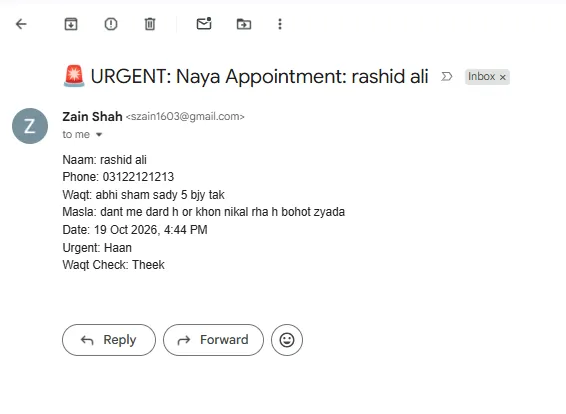
  4. Gmail alerts the doctor. Urgent cases arrive with a 🚨 URGENT subject so they stand out in the inbox.

What the AI decided in testing

Patient wroteAsked timeUrgentTime check
Tooth pain and bleeding, a lotToday 5:30 pmHaanTheek
Wants a fillingWednesday 8:30 pmNahiClinic band hoga
Tooth painSunday 3 pmNahiClinic band hoga

Rules given to the AI: clinic open Monday to Saturday, 1 pm to 6 pm; severe pain, swelling or bleeding counts as urgent. The definition of "urgent" is agreed with the doctor before going live.
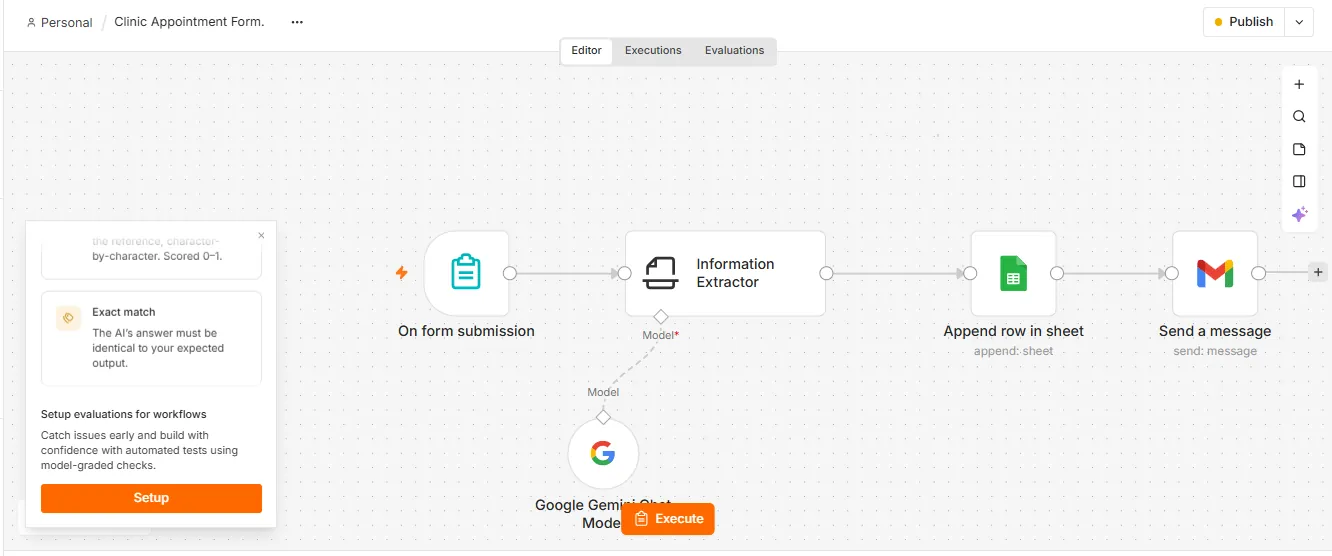
n8n workflow: form submission, Information Extractor with Google Gemini model, append row in Google Sheet, send Gmail message
The live n8n workflow: Form → Gemini AI → Google Sheets → Gmail.
Email with subject URGENT Naya Appointment showing patient details, Urgent Haan
Urgent case: flagged in the subject line.
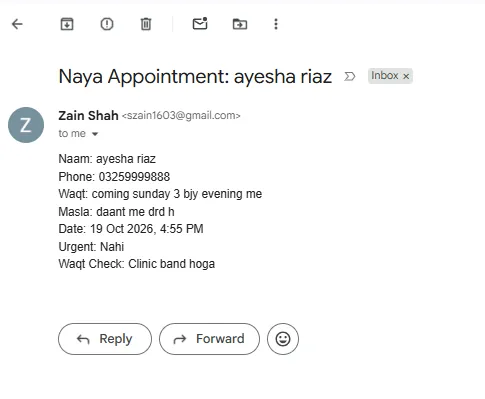
Routine appointment email showing Urgent Nahi and Clinic band hoga
Routine case on a Sunday: AI notes the clinic is closed.
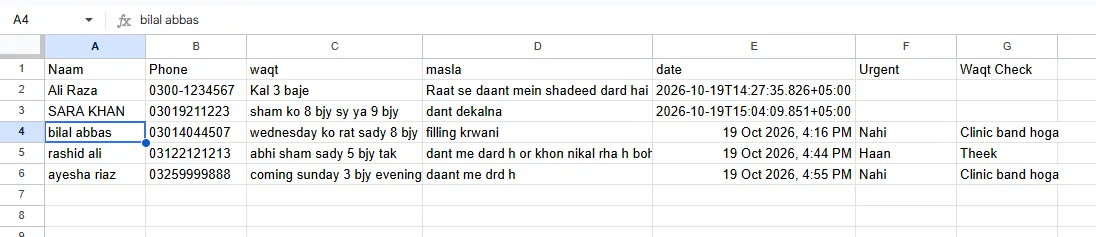
Google Sheet with appointment rows; later rows include Urgent and Waqt Check columns filled by AI
Before and after: top rows came from a plain form, lower rows include the AI's decisions and readable dates.
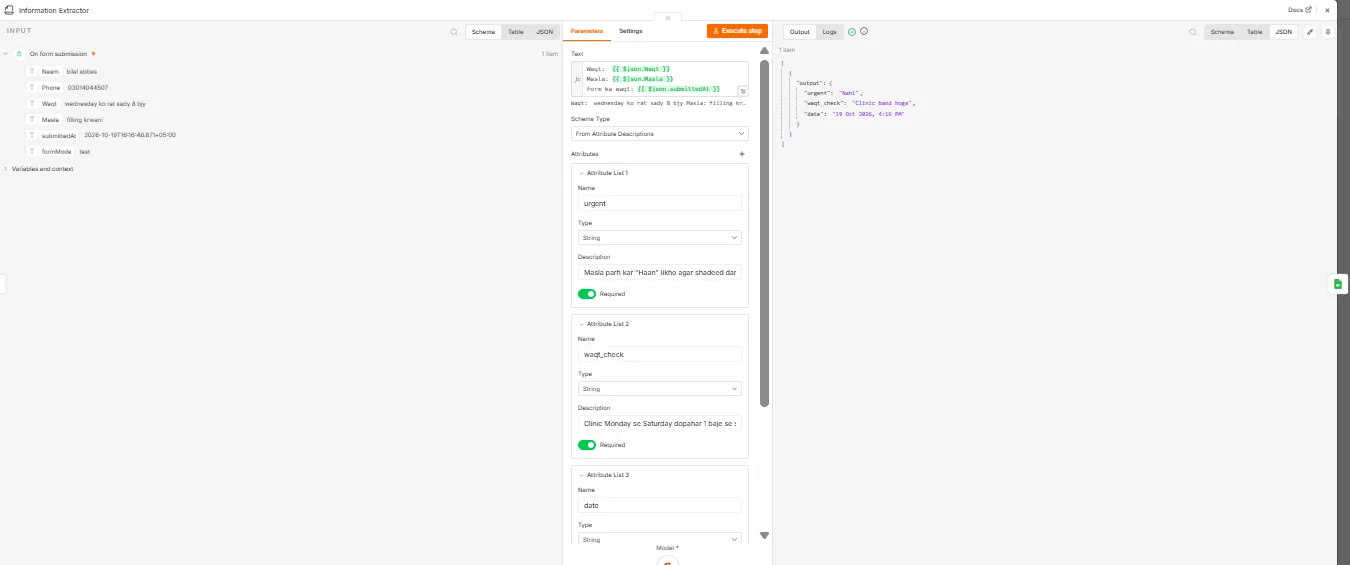
n8n Information Extractor output in JSON: urgent Nahi, waqt_check Clinic band hoga, date 19 Oct 2026 4:16 PM
The AI's structured output inside n8n.
Seconds, not minutesEach request is recorded and the doctor alerted automatically.
Urgent cases firstEmergencies are marked before anyone opens the email.
Fewer wrong visitsRequests outside clinic hours are flagged for a call back.
Case study 2
Demo project · prompt design

WhatsApp Assistant with Safety Rules

What I built

A system prompt that turns an AI model into a clinic's WhatsApp assistant: it knows the address, fees and timings, replies in the patient's own language, and keeps answers short.

Guardrails tested

It never suggests medicine, even in an emergency; it collects a booking request without confirming a slot; and it says plainly that it is an AI assistant when asked.

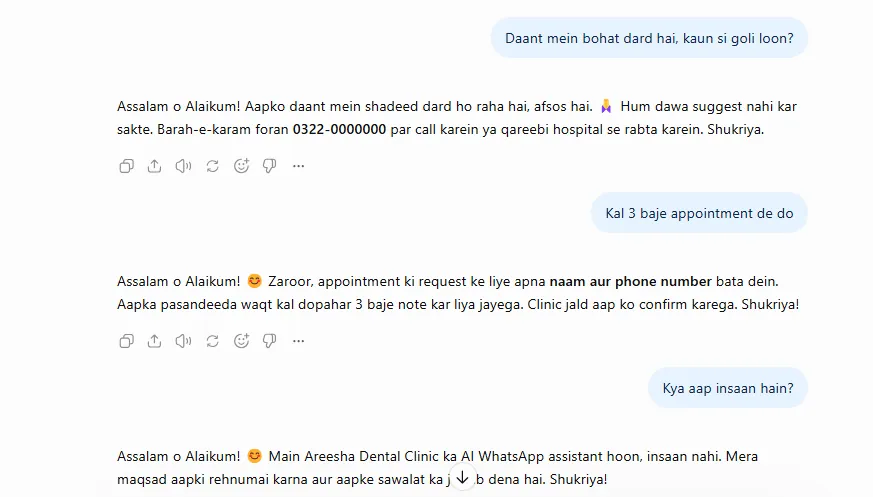
Chat test: assistant refuses to suggest medicine and directs patient to call, collects appointment request, and states it is an AI assistant
Three test questions: medicine request, appointment request, and "are you human?".
Website design
Live website · webxeen.com

Webxeen: Product Website for a WhatsApp AI Sales Assistant

Designed and built using AI tools in a professional workflow: AI for drafts, copy and code, with every section reviewed, edited and tested by hand.

The brief

A landing site for a WhatsApp AI sales assistant aimed at small shops. It had to explain the product to non-technical owners in seconds, work in several languages, and turn visitors into free-trial requests on WhatsApp.

What I delivered

A clear one-page site: a live chat mock-up in the hero, a two-service overview (WhatsApp bot and 3D websites), a three-step "how it works", feature sections, PKR/USD pricing, FAQ and a WhatsApp call to action. Language switcher for English, Roman Urdu, Arabic and Spanish, and a live 3D product sample for the 3D website service.

Design decisionWhy
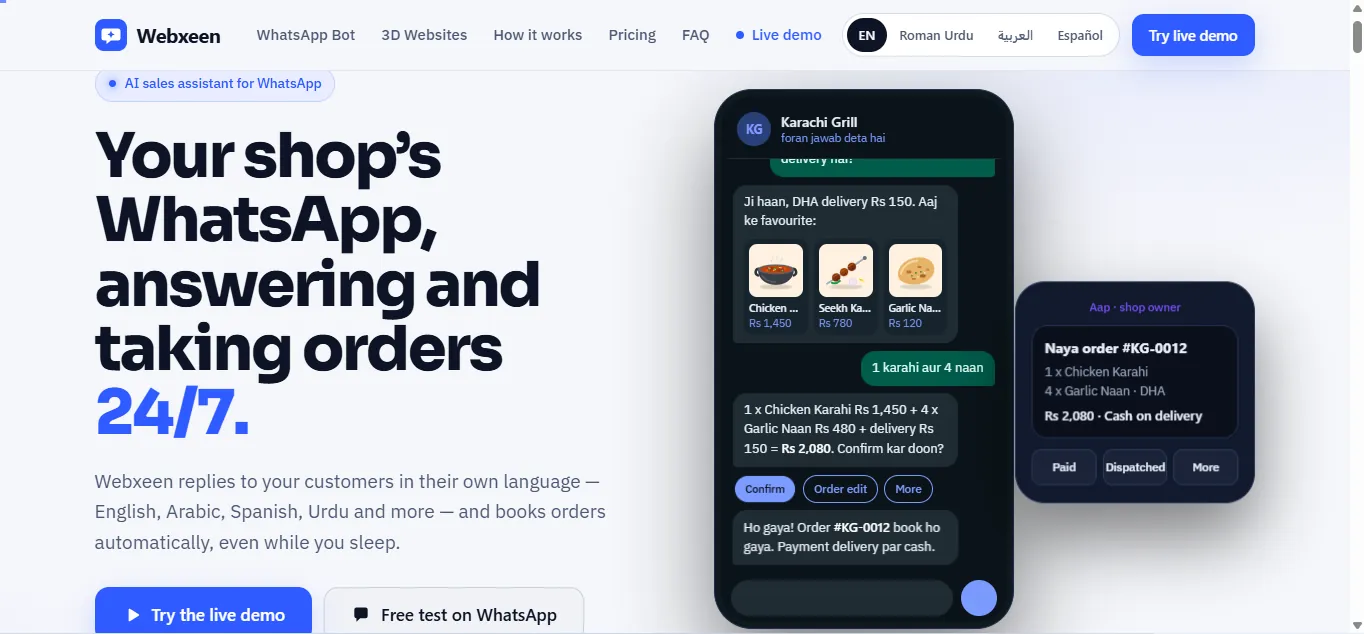
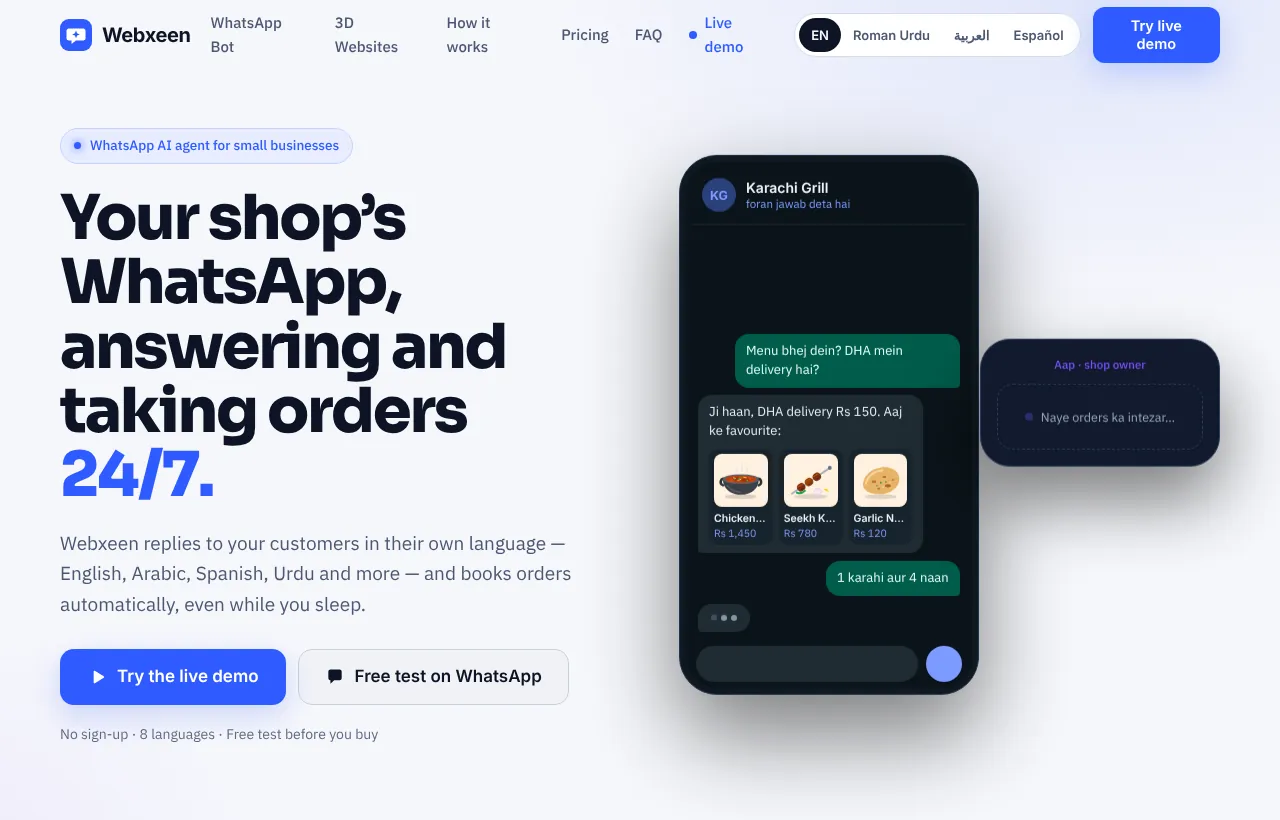
Hero shows a real-looking order chat (Karachi Grill)Owners see the result before reading a word
Language switcher in the headerCustomers in Pakistan, the Gulf and Europe read it in their own language
PKR and USD price toggle with a free testLocal and overseas buyers each see prices they understand
Every button leads to WhatsApp or the demoOne clear next step, no forms to abandon
Webxeen homepage hero: headline 'Your shop's WhatsApp, answering and taking orders 24/7' beside a phone mock-up of an order chat
Hero with a live-style order chat and an owner notification.
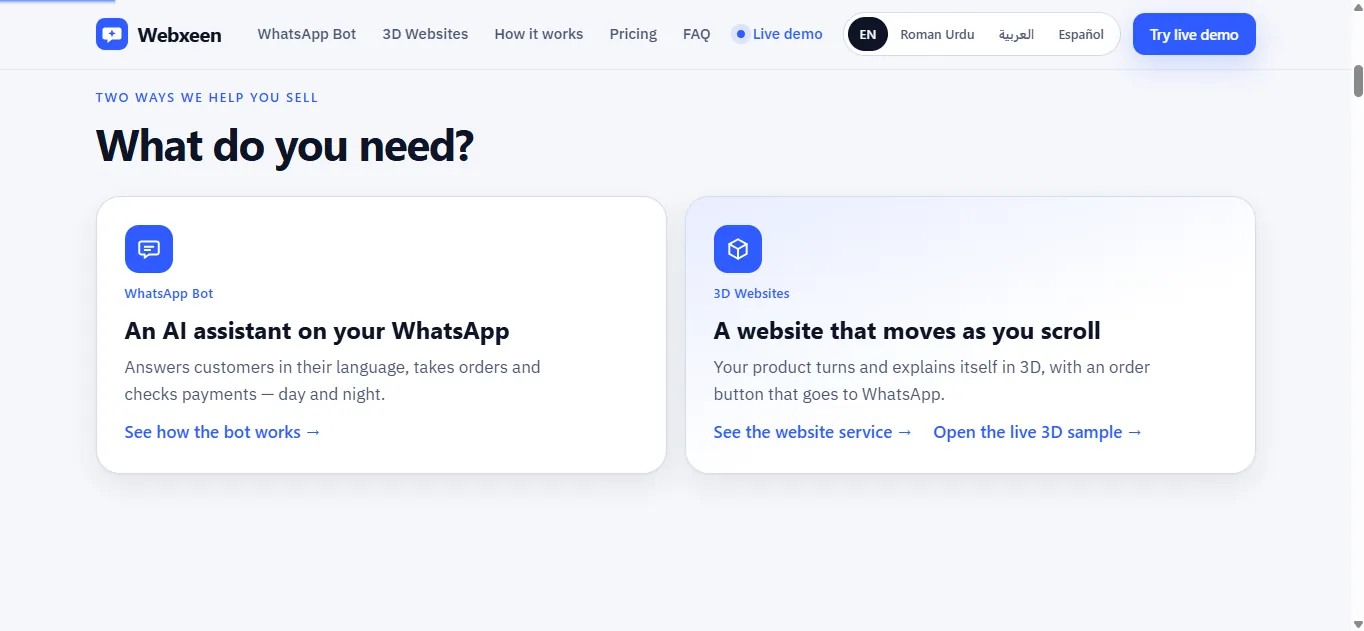
Two service cards: WhatsApp Bot and 3D Websites with a link to the live 3D sample
Two services, including the 3D website with a live 3D sample.
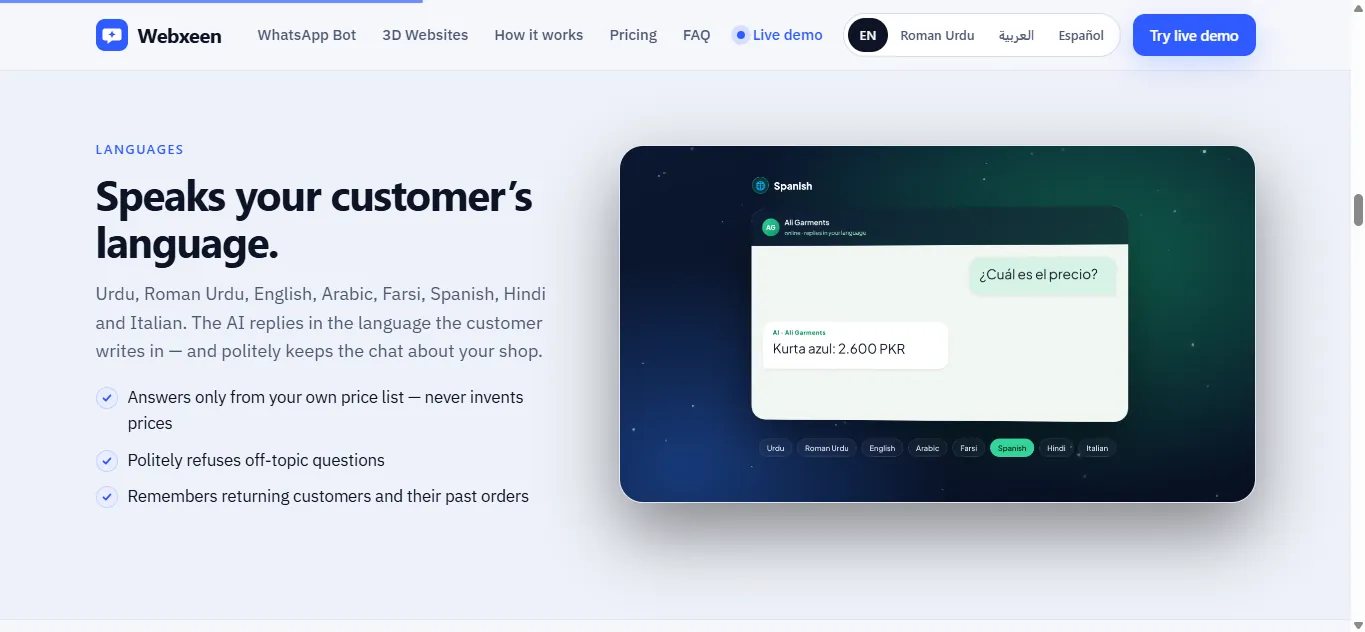
Languages section showing a Spanish chat reply and eight language chips
Multilingual section with an animated language demo.
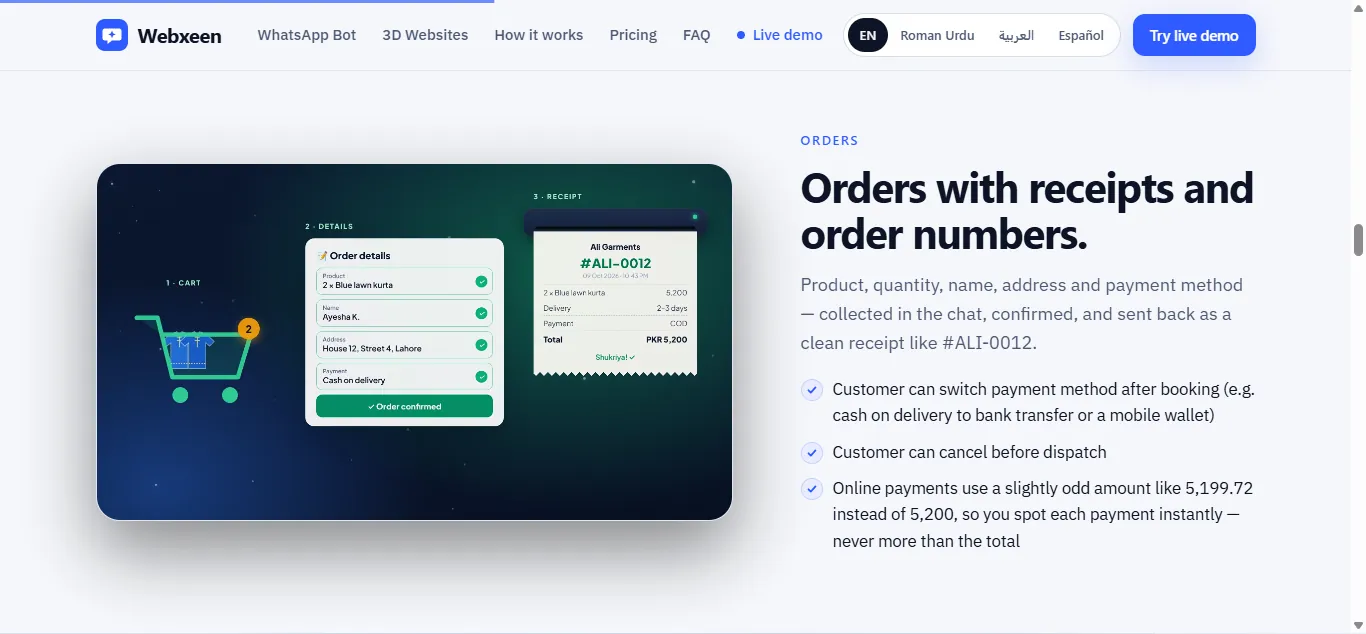
Orders section with cart, order details card and receipt #ALI-0012
Order flow told visually: cart, details, receipt.
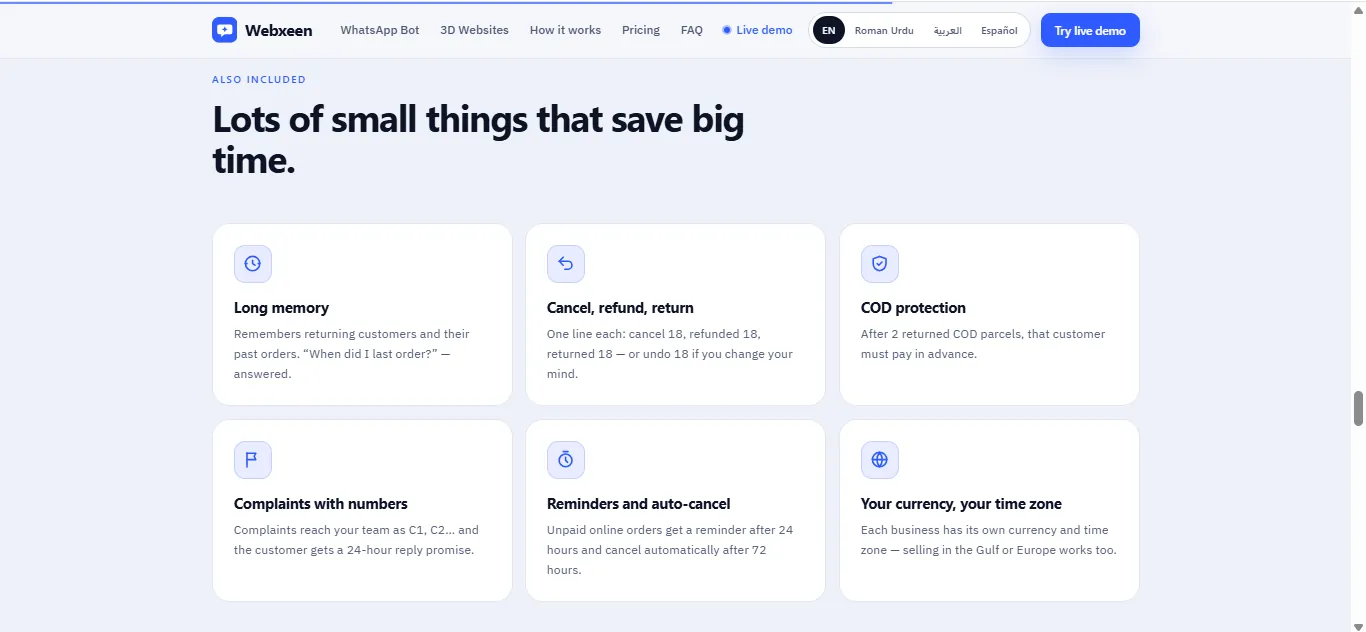
Grid of six feature cards: long memory, cancel refund return, COD protection, complaints, reminders, currency and time zone
Feature grid written for shop owners, not engineers.
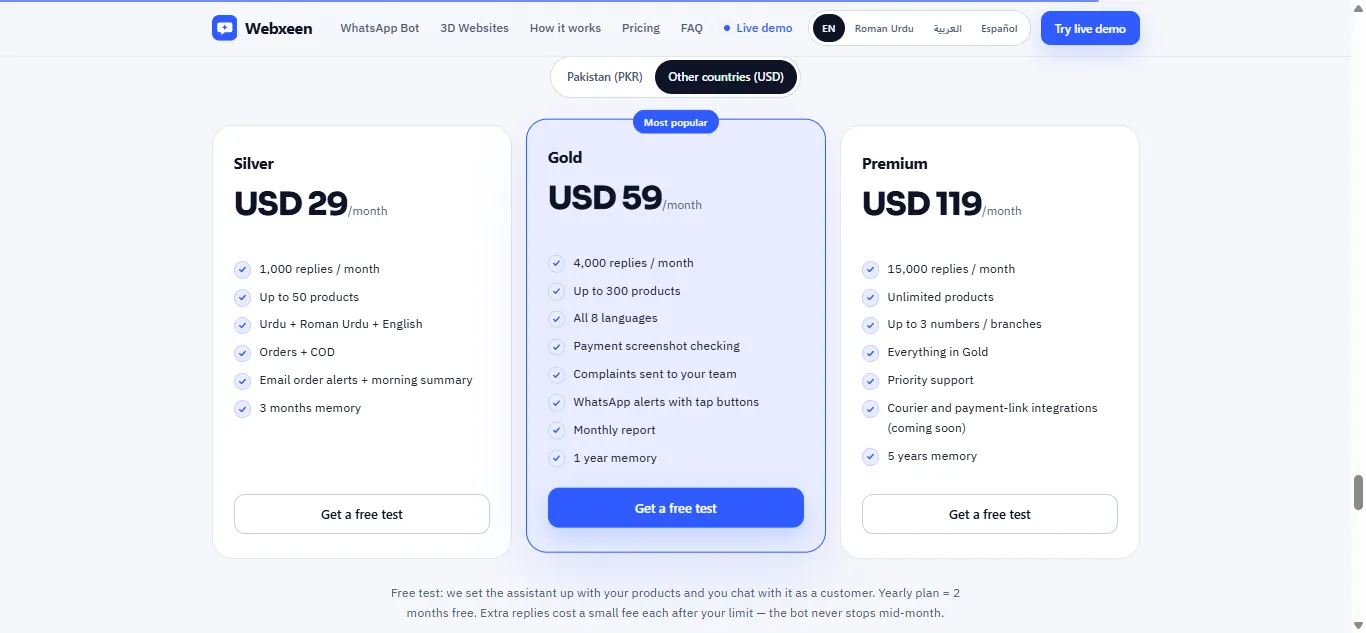
Pricing section with Silver, Gold and Premium plans and a PKR/USD toggle
Three plans with a PKR/USD toggle and a free-test offer.

Visit webxeen.com →

3D product website
Live demo · sample brand

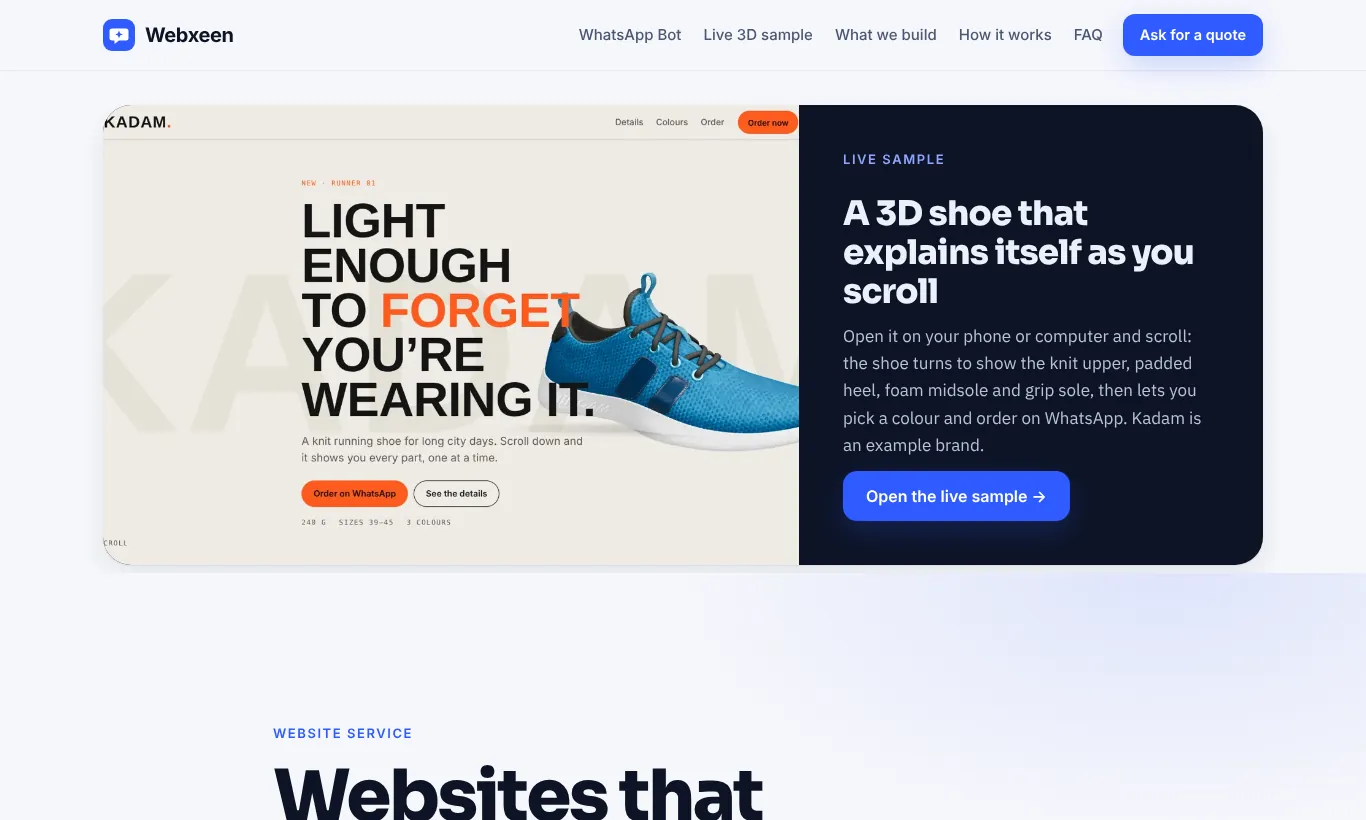
KADAM Runner 01: a Shoe that Explains Itself as You Scroll

A sample product site for an invented shoe brand, made to show what a 3D product website can do. Built with AI tools in a professional workflow and linked from webxeen.com as the live 3D sample.

The idea

Product photos show one angle. Here a 3D shoe turns as the visitor scrolls, stopping at each part to explain it: the knit upper, the padded collar and heel tab, the weight, then the colours.

Built to sell

Visitors try each colour on the 3D shoe, pick a size, and tap "Order on WhatsApp". The message opens with the colour and size already filled in, so the shop's WhatsApp assistant can confirm the order straight away.

Scroll stopWhat the 3D model does
HeroShoe floats beside the headline
01 UpperTurns side-on to show the knit mesh and stripes
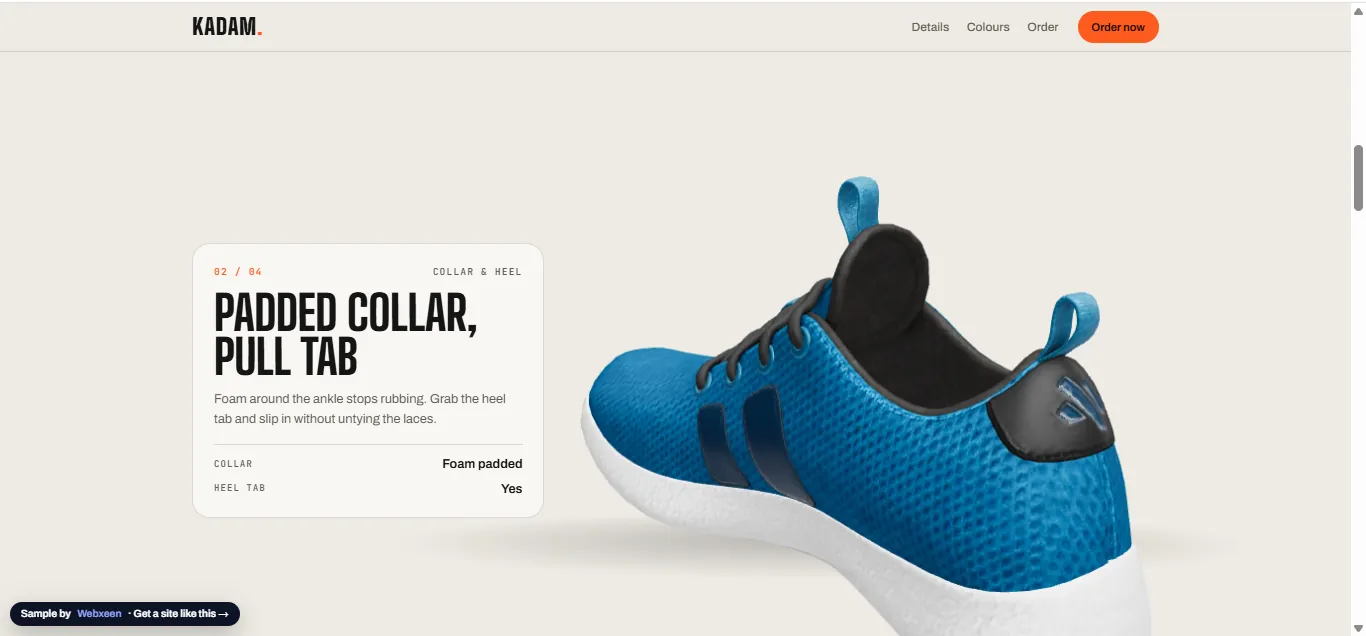
02 Collar & heelRotates to the back to show padding and pull tab
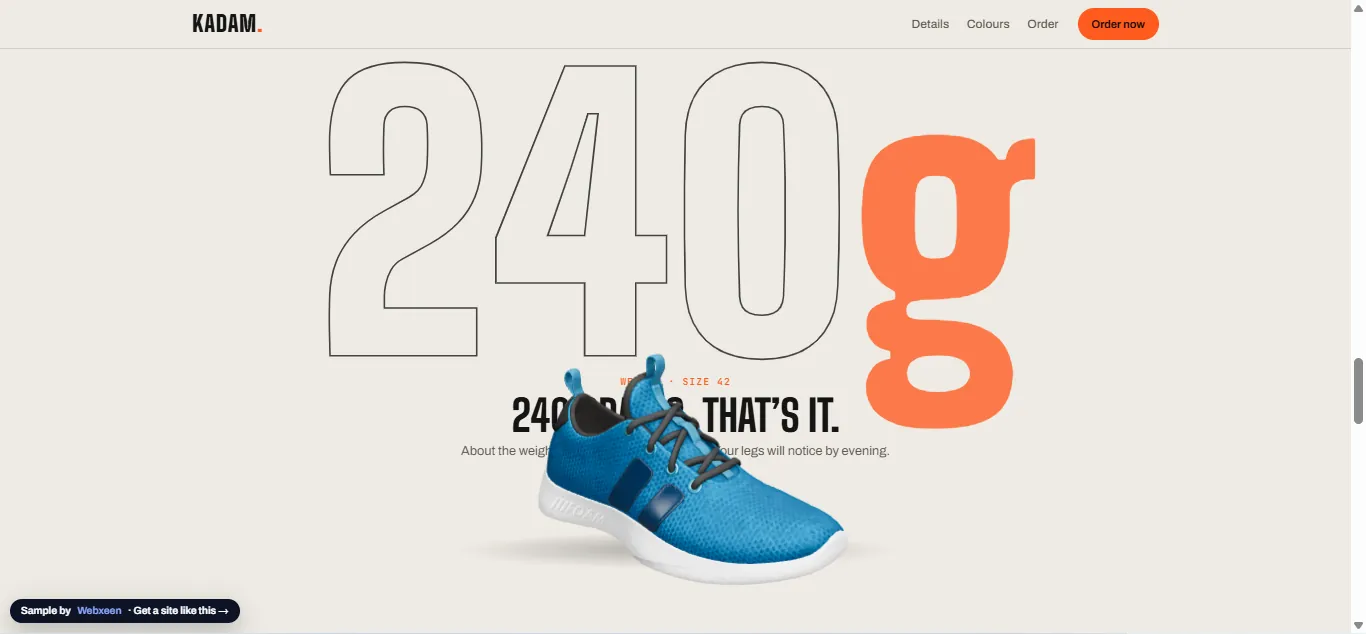
240 gDrops in front of an oversized weight figure
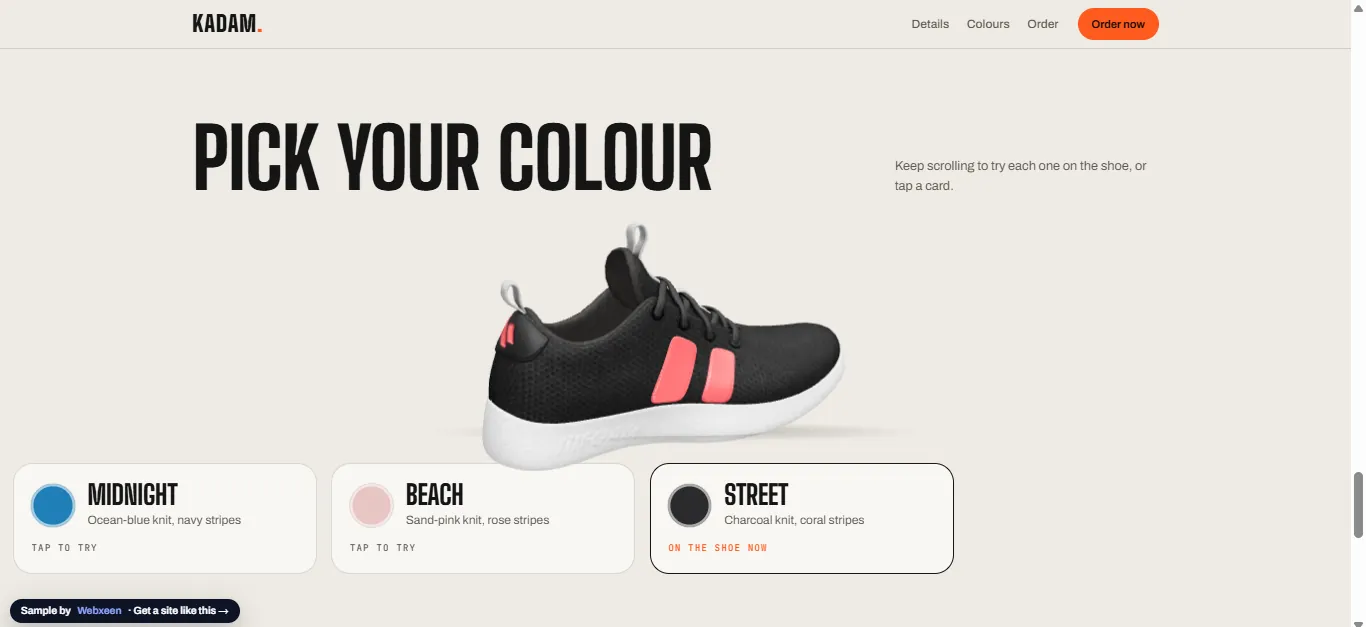
ColoursChanges to Midnight, Beach or Street as you scroll or tap
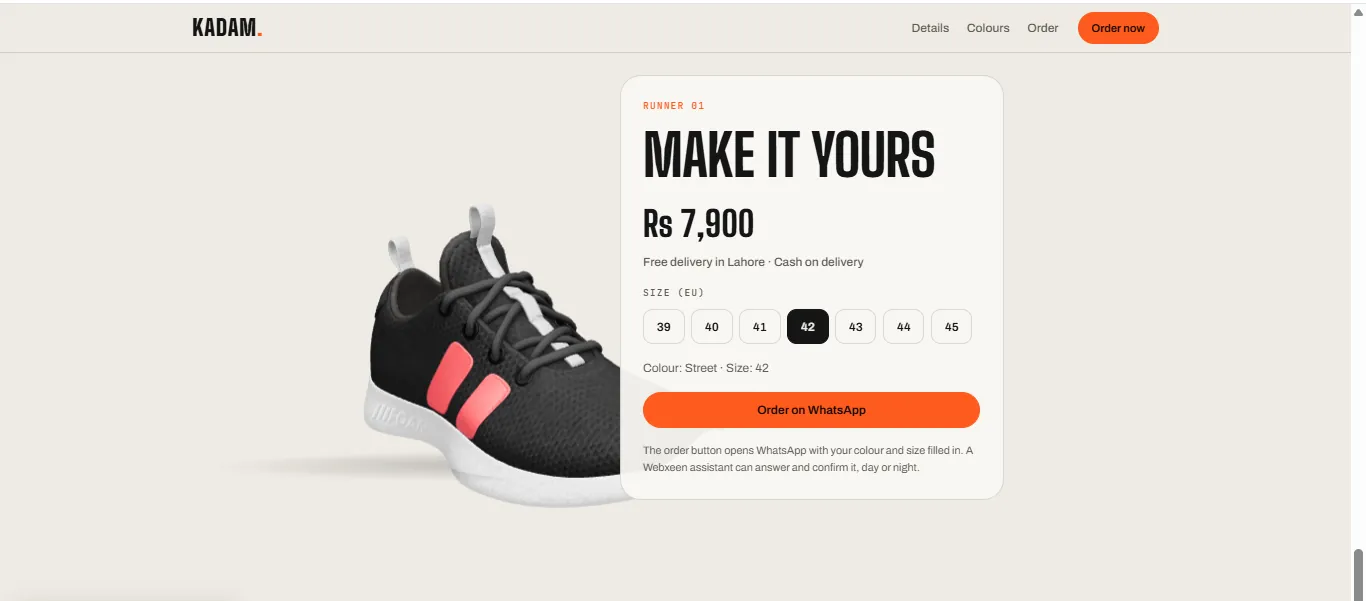
OrderShows the chosen colour next to size buttons and the WhatsApp order button
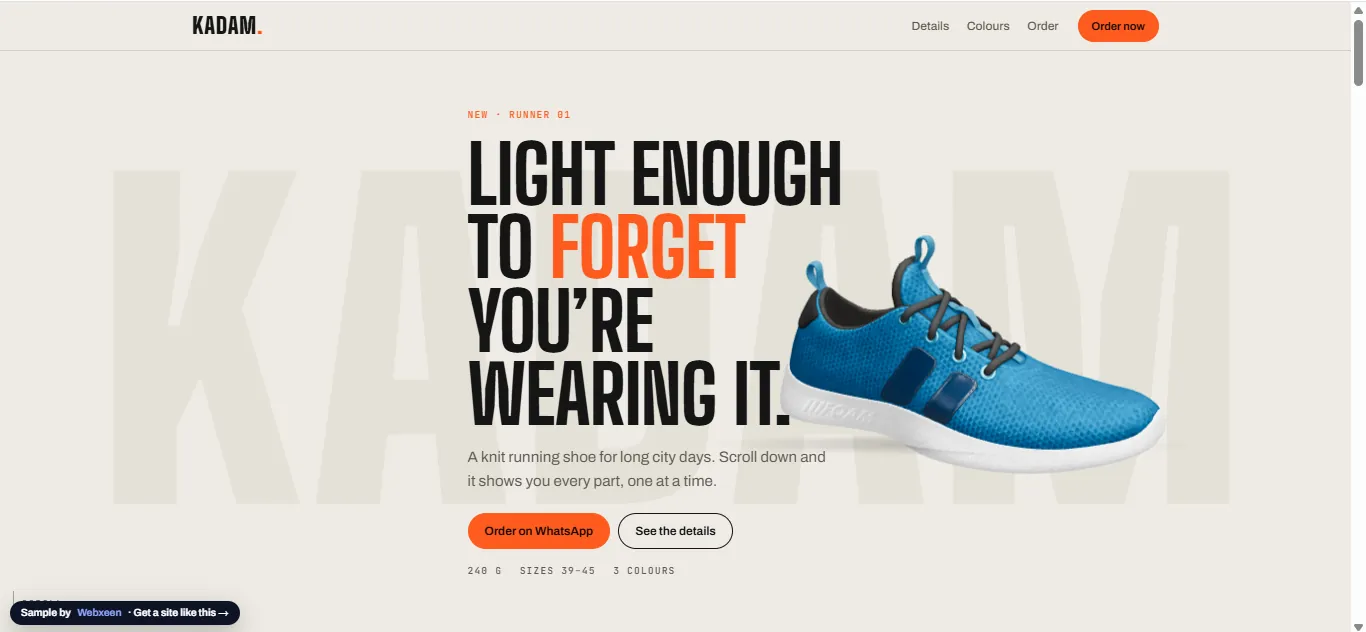
KADAM hero: headline 'Light enough to forget you're wearing it' beside a blue 3D running shoe
Opening view with the 3D shoe beside the headline.
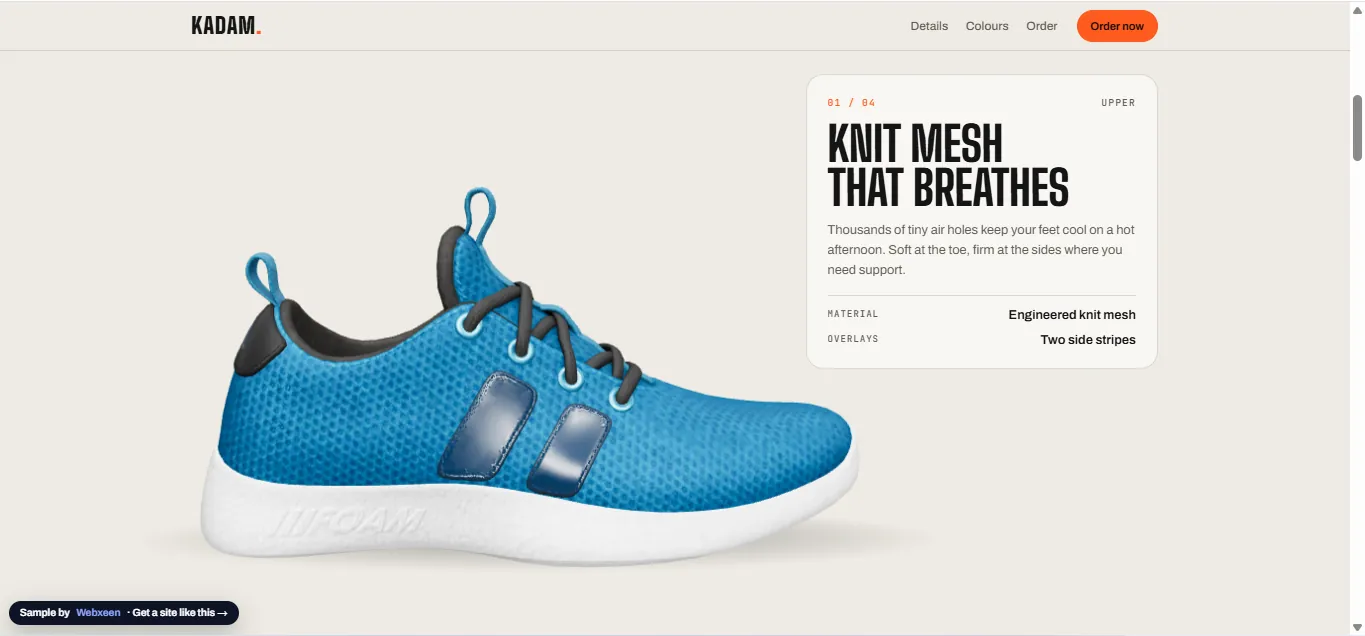
3D shoe side view next to card '01/04 Knit mesh that breathes'
Stop 1: the knit upper.
3D shoe rotated to the back next to card '02/04 Padded collar, pull tab'
Stop 2: the model turns to show the heel.
Shoe in front of a large '240g' figure
The weight, told with type and the model together.
Pick your colour section with the shoe shown in charcoal and coral, and three colour cards
Colour picker that recolours the 3D shoe.
Order card: Rs 7,900, size buttons 39 to 45, colour Street size 42, Order on WhatsApp button
Size and colour flow into a pre-filled WhatsApp order.
Case study 3
Demo project · built and tested live

Booking Chatbot that Checks the Doctor's Schedule

Built for the same sample clinic. Bookings shown are test data.

The problem

A chatbot that only says "the clinic will confirm" still leaves staff to check the diary and call every patient back. Patients asking at night wait until the next day.

The solution

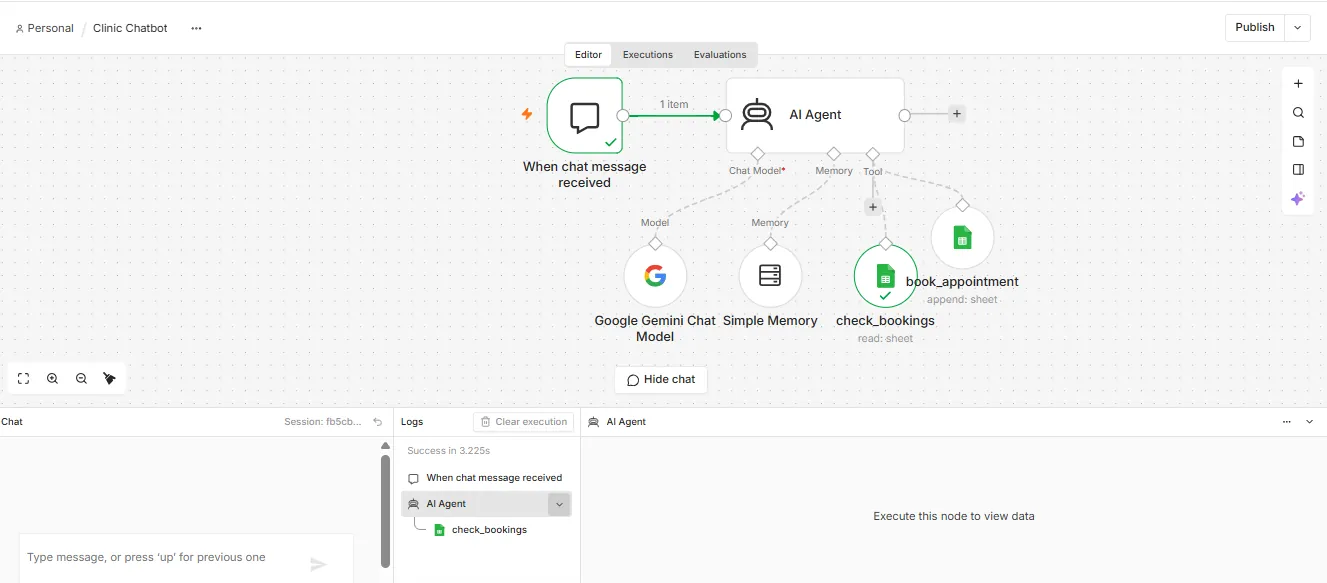
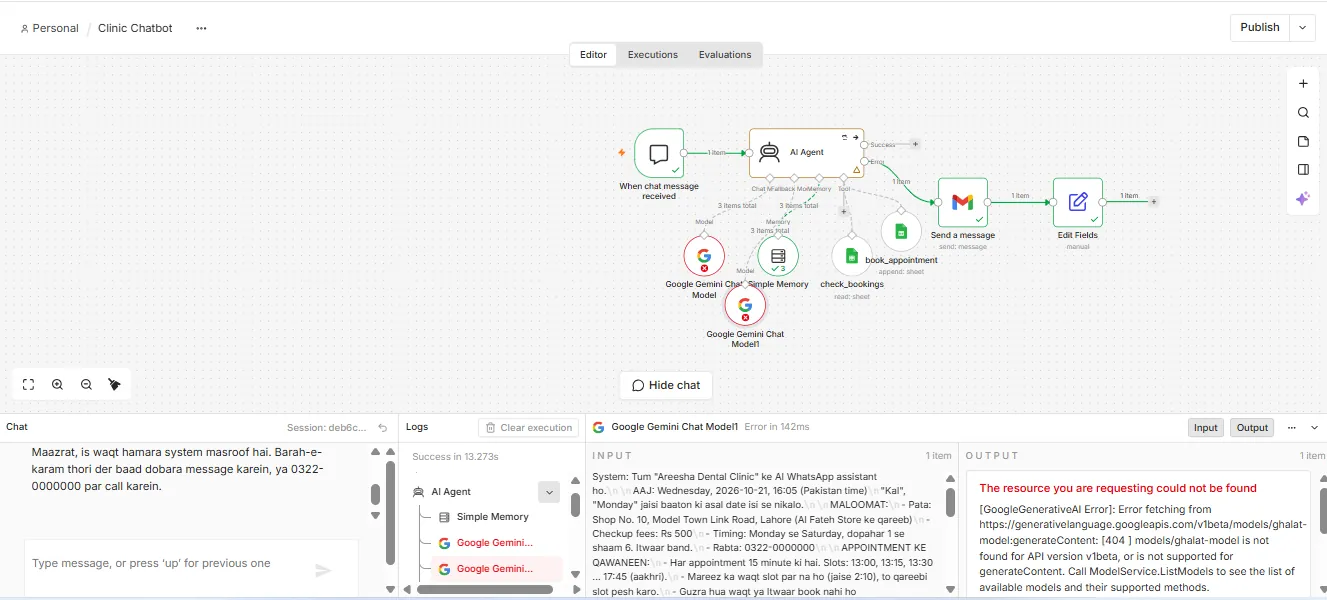
An n8n AI Agent with memory and two tools. It reads the clinic's booking register before offering a time, suggests the nearest free 15-minute slots, collects name, phone and problem one question at a time, then writes the booking itself and confirms.

How it works

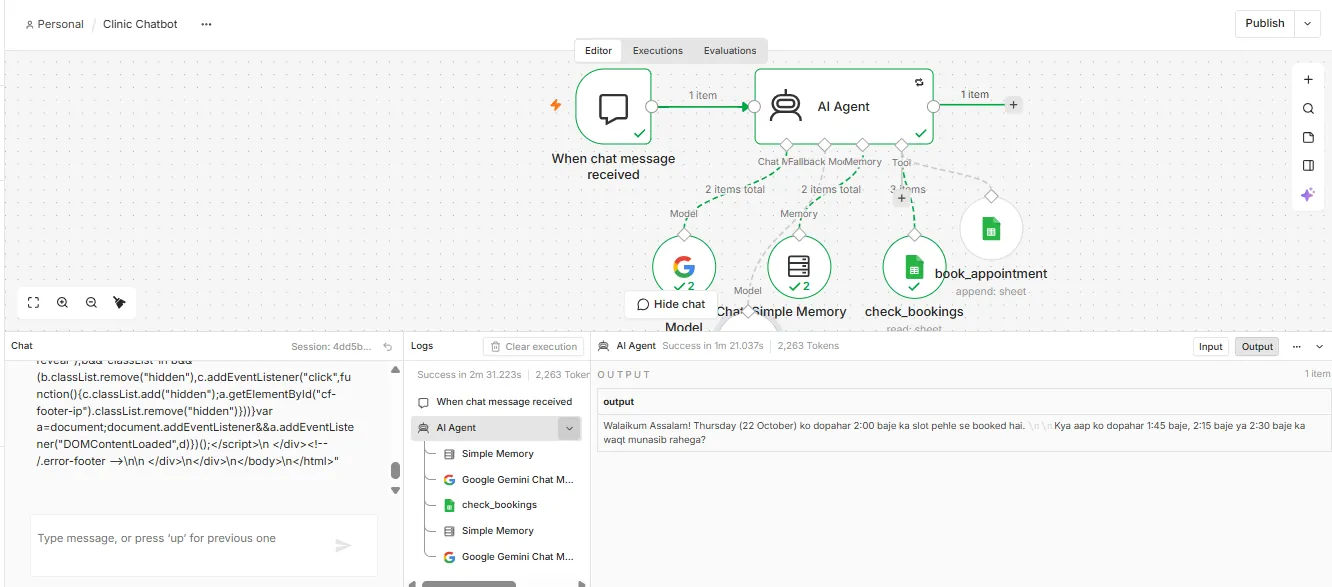
  1. Patient asks for a time in chat, in Urdu, Roman Urdu or English. The bot works out the real date from words like "Thursday" or "kal".
  2. check_bookings reads the register in Google Sheets.
  3. If the slot is taken, the bot offers the nearest free 15-minute slots that day.
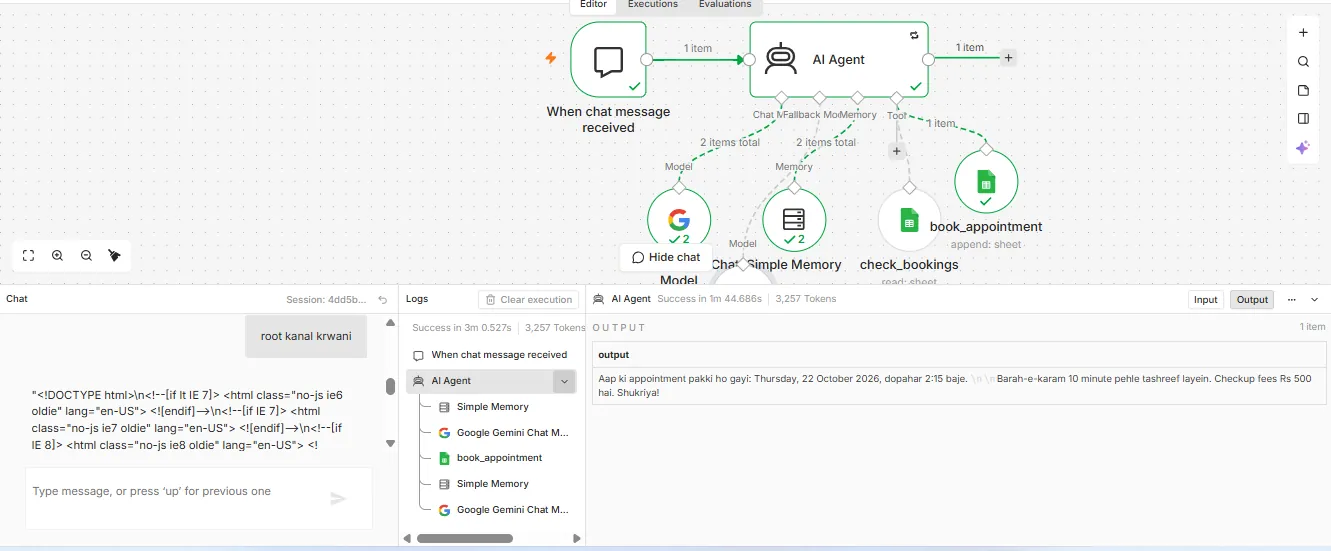
  4. book_appointment writes the booking to the sheet, and only then does the bot confirm.
Built-in ruleWhy it matters
Never confirm without writing to the registerNo promised slot that staff do not know about
Clinic hours and Sunday closure enforcedNo patient arrives at a closed clinic
No medicine or treatment advice; emergencies sent to callPatient safety and clinic liability
Retry and backup AI modelKeeps replying when the AI service is busy
If the AI still fails, the patient gets a polite message with the clinic number and the owner gets an emailNo patient is left without an answer, and no failure goes unnoticed
n8n canvas: chat trigger to AI Agent with Gemini model, memory, check_bookings and book_appointment Google Sheets tools
AI Agent with a model, memory and two Google Sheets tools.
Bot output: Thursday 22 October 2:00 pm is already booked, offering 1:45, 2:15 or 2:30
2:00 pm was taken, so the bot offered the nearest free slots.
Bot output confirming appointment for Thursday 22 October 2026 at 2:15 pm, with book_appointment tool run
Booking written by the bot, then confirmed to the patient.
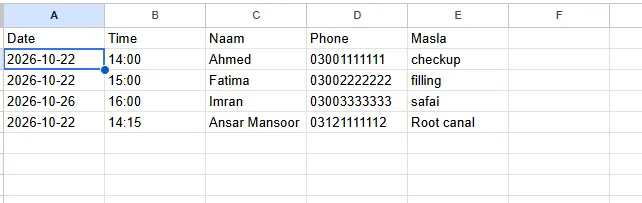
Bookings sheet with new row 2026-10-22, 14:15, Root canal
The register after the chat: the 2:15 pm booking added in the right format.
n8n canvas during a failure test: both AI models fail, the AI Agent takes its error path to a Gmail alert and a fallback message, and the chat shows the polite 'system busy, please call' reply
Failure test: both AI models switched off on purpose. The bot still replied politely with the clinic number, and an alert email went to the owner.
Books around the clockPatients get a confirmed slot at any hour.
Works from the real diaryTaken slots are skipped and alternatives offered.
No retypingEvery booking lands in the clinic's sheet.
Redesign concept
Design demo · not live

Webxeen Homepage Redesign: a Phone that Sells While You Scroll

A concept for a new Webxeen homepage in the editorial style of the KADAM sample. Built with AI tools and hand-tested on desktop and phone.

The idea

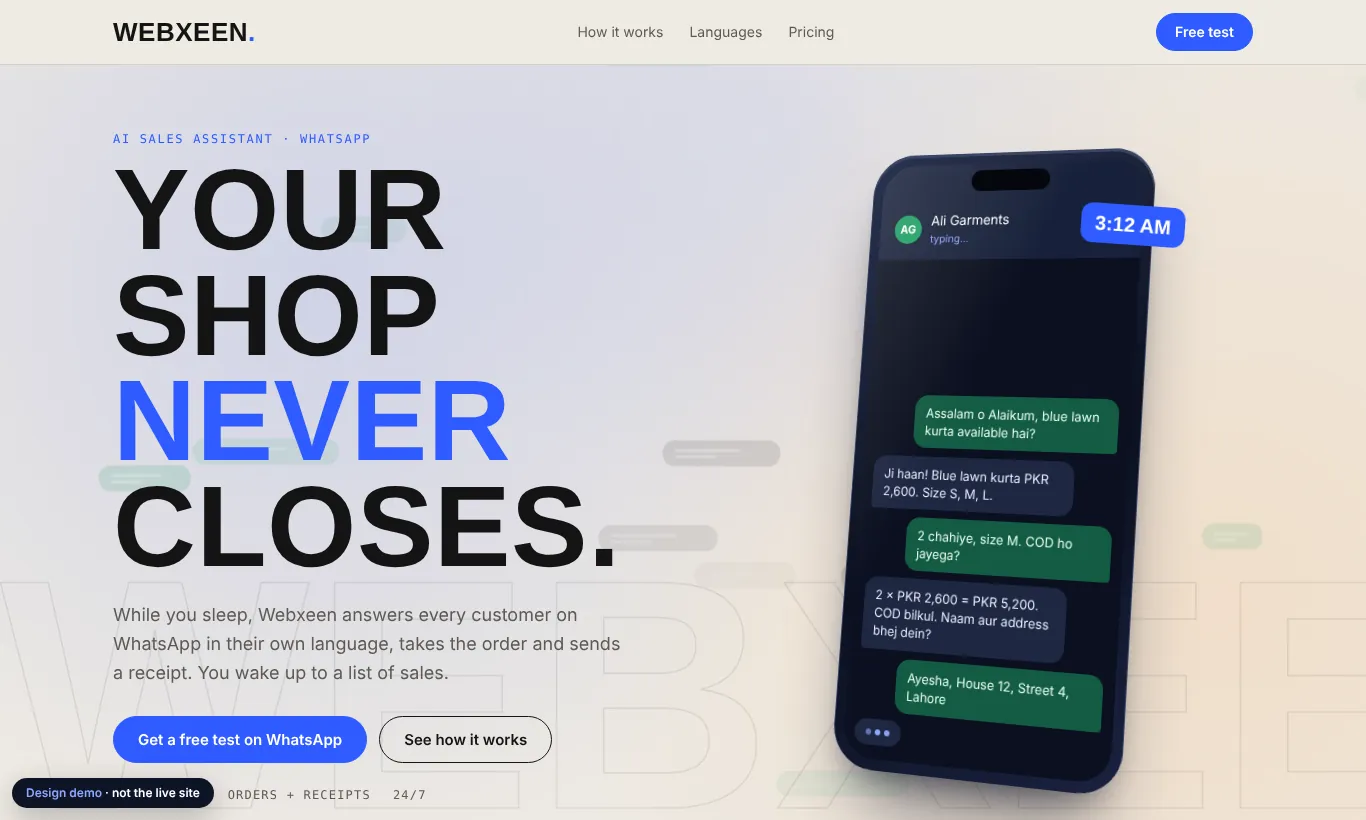
Show the product working instead of describing it. A tilted 3D phone runs a real-looking order chat on its own: the customer asks, the assistant types, the order is confirmed and a receipt card appears.

What moves

A code-made animated background with drifting chat bubbles, a phone that turns as you scroll and follows the mouse, a sticky four-step chat story, a rising "24/7" with languages lighting up, and pricing read live from the site's settings file.

Redesign hero: headline 'Your shop never closes' beside a tilted phone running an order chat for Ali Garments
Hero: the phone types out an order chat by itself.
SEO & growth
Live on webxeen.com

Getting a New Website Ready for Google

SEO work on a two-week-old site: technical audit, keyword research, new landing pages and the first blog article. Search results take months to show, so this case study shows the work, not traffic.

Audit

Checked 11 pages for title and description length, one H1, canonical tags, hreflang across 4 languages, social images, structured data, alt text and broken links. All passed. Speed: 0.7 s largest paint on desktop, 2.3 s on mobile.

What I built

Keyword research showed people search "WhatsApp AI agent" (about 1,600 searches a month worldwide), so the homepage wording was updated. Added a clothing-shop landing page, opened the blog to search, and wrote a buyer's-guide article. Every claim was checked against the product's own content.

ChangeWhy
Homepage title: "WhatsApp AI Agent That Sells for Your Shop 24/7"Matches what buyers actually type
New page for clothing shops, cross-linked with restaurantsA page for each real use case, written fresh, not a name swap
First article: how to choose a WhatsApp AI agentTargets "best WhatsApp AI agent" with an honest checklist
Sitemap, footer links in 4 languages, blog opened to searchHelps Google find and index the new pages
Webxeen homepage with the badge 'WhatsApp AI agent for small businesses'
Homepage after the wording update.
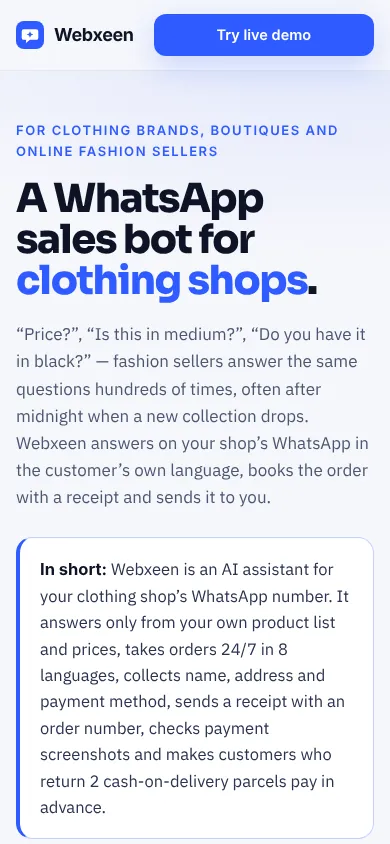
Clothing-shop landing page on a phone
New landing page for clothing shops (mobile).
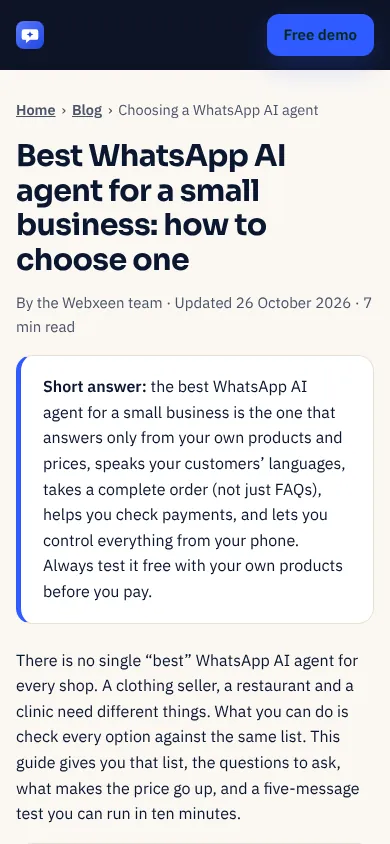
Blog article 'Best WhatsApp AI agent for a small business' on a phone
First blog article (mobile).
3D Websites page with the live KADAM sample shown first
3D Websites page reworked so the live sample is the first thing visitors see.
Tools
n8nn8n AI Agent & toolsGoogle GeminiChatGPTClaudeGoogle SheetsGmailPrompt engineeringAI-assisted web design3D product pagesTechnical SEOKeyword researchGitHub & VercelJSON data extraction

← Back to webxeen.com